
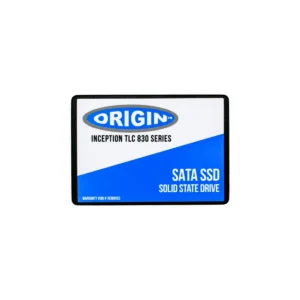
Internal Solid State Drives (SSDs) are the backbone of modern computing, providing rapid data access speeds that outperform their mechanical counterparts, traditional hard disk drives (HDDs). By utilizing flash memory technology, these drives offer faster boot times, quicker file transfers, and enhanced overall system responsiveness. Whether you’re a tech enthusiast, gamer, or business professional, upgrading to a solid state drive can drastically improve user experience by minimizing wait times and allowing for seamless multitasking.
One of the primary benefits of internal SSDs is their exceptional speed. Unlike HDDs which rely on spinning disks, SSDs use NAND-based flash memory, allowing your computer or laptop to access stored data at blazing speeds. This translates to near-instant application launches and drastically reduced loading times in demanding software and games. With read and write speeds often exceeding 500 MB/s, SSDs are an essential component for anyone seeking to optimize the performance of their digital workspace.
Reliability and durability are major advantages of internal solid state drives. With no moving parts, SSDs are much less susceptible to mechanical failure compared to HDDs. This makes them particularly advantageous for mobile computing, as they can withstand the bumps and vibrations that come with transporting a laptop. Additionally, SSDs consume less power, leading to longer battery life for portable devices, making them a cost-effective choice for both personal and professional use.
There are various types of internal SSDs to consider, each suited for different needs. The SATA SSD is the most common type, offering a significant speed upgrade over traditional HDDs while maintaining compatibility with most systems. For those seeking performance beyond SATA capabilities, NVMe SSDs provide even faster data transfer rates by connecting directly to the motherboard via the PCIe slot, effectively reducing latency and optimizing data throughput. To accommodate different form factors and compatibility requirements, SSDs are available in 2.5-inch and M.2 sizes, ensuring a fit for every configuration.
The versatility of internal SSDs extends beyond personal computing. In enterprise environments, SSDs play a crucial role in enhancing data center efficiency, accelerating server workloads, and ensuring high availability for online applications. W